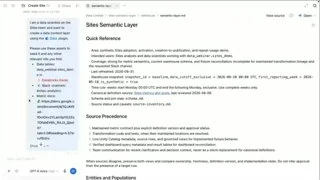
The explanation begins with the context a new analyst would need, then turns that analogy into tools, sources and a reference document. A stable two-column view gives the speaker's directional words a visible destination.
Select a word to see its corresponding source frame. Use the arrow keys within the word buttons to step through. Frames may stay similar when a shot holds.
“data context skill which is what we have on our right here.”
Decoded frame 71.567 s · first frame at or after the estimated word onset.
Reading · interpretation
Name the artifact already in view
The speaker supplies a name for the context being prepared while the right-hand document remains open. The document has been visible for some time; this is an identification of an established object, not a reveal timed to the noun.
This twelve-word excerpt agrees with the available caption wording. Most differences elsewhere involve fillers, a repeated phrase and product-name spelling. Agreement supports the short quotation but does not verify its machine-estimated onsets by listening.
Words 1–3
Name the artifact already in view
The speaker supplies a name for the context being prepared while the right-hand document remains open. The document has been visible for some time; this is an identification of an established object, not a reveal timed to the noun.
Words 4–8
Connect the explanation to the example
The relative clause identifies the displayed document as the example of that context. Keeping the source request visible at the left preserves the relationship between the inputs and the artifact being discussed.
Words 9–12
Make the direction literal
The final words point to the right, and that is where the larger document pane sits. The composition stays stable throughout the direction. A new cut or moving highlight is unnecessary for this particular reference to remain understandable.
02 / Directing attention
How the frame supports the sentence.
Establish the human analogy before the interface
The opening two-person desk view supplies a familiar setting for the idea of bringing a new analyst onto a team. The warm room and visible laptops give way to the product only after that framing has been established.
Keep navigation available during orientation
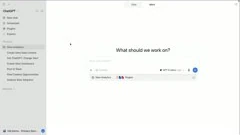
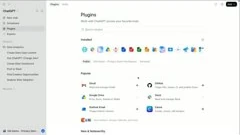
The initial product view retains the sidebar and then the full plugin catalog. This is a relatively wide screen composition: the narrator's location words help the viewer find the relevant area, while the surrounding interface provides orientation.
Give the result more space than the request
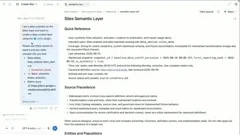
The later screen uses a narrow left conversation column and a wider right document pane. The light-blue request remains visible while the document moves from its introductory reference material to a table of definitions. That geometry supports both the source explanation and the later direction to the right.
Make the configuration problem familiar before introducing controls. ~0:06 ↗An opening title leads into two people seated at laptops.Establish the configured environment before discussing its inputs. ~0:31 ↗The plugin catalog loads, showing installed icons and available entries.Show the sources and their organized reference in one composition. ~0:54 ↗A narrow request column sits beside a much wider semantic-layer document, which is already open.End the explanation on the artifact and the condition for reusing it. ~1:18 ↗The document moves to a definitions table and holds beside the request.
03 / Beyond the excerpt
The full argument.
Two people at laptops introduce an analogy: an agent needs the kind of context a new teammate would receive. The film then leaves the people for the product, locating the plugins area and explaining installation conditions. A second major composition places a request and its source references at the left and a semantic-layer document at the right. That view holds while the narration identifies the inputs, names the resulting context and makes knowledgeable human review a condition of packaging it for others. The payoff is a prepared reference and a proposed handoff, not a demonstrated business analysis or a completed review.
Passage boundaries below are approximate. Speech is paraphrased; the word explorer above contains the short quotation. Editorial jobs are interpretations.
No further speech was recovered during the closing graphics.
Picture · observation
The interface gives way to colored dots, surrounding illustrated objects and the closing mark.
Editorial job · Close after the workflow's human-review condition has been stated.
04 / Check the actual image change
Two transitions in adjacent frames.
These pairs use neighboring decoded source frames. Their timestamps are frame evidence; they do not make the speech alignment exact.
Hard cut from the human analogy to the product
Before · 11.733 sAfter · 11.767 s
The two-person desk view remains at 11.733 seconds. At 11.767 the product home screen fills the image. The cut moves from why context matters to where the setup begins.
The plugin catalog remains at 48.533 seconds. At 48.567 a narrow conversation column and a wider reference document replace it. This is the composition used for naming the sources, pointing to the result and explaining its review condition.
When the recording points to something by name or direction, place that object clearly and keep it stable through the clause. Use a neighboring input-and-result layout when their relationship is the point. If the narration claims review, authorization or successful sharing, plan the corresponding real product evidence in the storyboard.
The source shows configuration surfaces and an already displayed reference document. It does not independently establish source correctness, a completed sign-in or administrator action, a human review, plugin packaging or company-wide access. Those actions are described in the film; their full execution is not demonstrated here.
Review basis
The full machine transcript was read; 282 estimated words were mapped to source frames. The visual review inspected 184 half-second sample positions, the 12 selected word frames and these 2 native transition windows. Available caption differences were checked. No continuous playback or human listening verification. Method and timing limits.