A conversational request
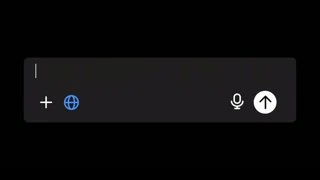
The opening addresses the assistant and points back to the answer already shown. The composer is isolated on black, so the accumulating prompt is the main place to look.
03 / 12 · Lesson
The lesson makes a small spoken request visible in the composer. Its payoff is teaching the next action; it does not show the answer to that follow-up.
Official source: Meet ChatGPT: Ask Your First Question | OpenAI Academy ↗
01 / A sentence, inspected closely
Select a word to see its corresponding source frame. Use the arrow keys within the word buttons to step through. Frames may stay similar when a shot holds.
“Can you make that simpler and give me the first step?”
Reading · interpretation
The opening addresses the assistant and points back to the answer already shown. The composer is isolated on black, so the accumulating prompt is the main place to look.
The eleven displayed words agree with the retained automatic captions and appear in the on-screen prompt. Their word onsets are machine estimates from the audio, not certified listening timings.
The opening addresses the assistant and points back to the answer already shown. The composer is isolated on black, so the accumulating prompt is the main place to look.
This word gives the requested transformation. The surrounding sentence stays visible, preserving what the instruction is modifying.
The remaining clause narrows the request to one beginning action. The complete prompt is left readable before the cut to a recap. No follow-up answer appears in that interval.
02 / Directing attention
The instructor begins at a table in a warm room. Wider and tighter views keep a human guide present while the script lowers the pressure to produce a perfect first prompt.
The teaching sequence first pairs the instructor with a short list, then isolates the composer and voice control on black. Later, a right-aligned request and three left-aligned options make the example easy to scan.
The answer layout gives way to an enlarged composer before the selected follow-up. The same framing persists while the request accumulates. This illustrates a concrete way to continue, without requiring a new explanation card for each word.
03 / Beyond the excerpt
The instructor reduces the perceived difficulty of starting, explains the message and voice controls, and gives one small example. Three possible uses appear as a short response layout. The instructor then chooses to continue the conversation and speaks a request for a simpler first step as that request is typed. A recap follows immediately. The ending adds a qualification about mistakes and important decisions before returning to the invitation to begin. The script keeps the lesson narrow, and the compositions separate reassurance, control identification, example, follow-up and caution.
Passage boundaries below are approximate. Speech is paraphrased; the word explorer above contains the short quotation. Editorial jobs are interpretations.
The lesson opens before the main instruction begins.
A logo and short topic card occupy a white field.
Editorial job · Establish the lesson's scope.
The instructor invites a first question and explains that it can be revised.
Table and close views alternate with a short illustrated list beside the instructor.
Editorial job · Lower the cost of beginning before explaining controls.
The message box and voice button are identified.
A mobile view gives way to an enlarged composer with directional emphasis.
Editorial job · Give each control a clear referent.
One request produces several possible starting uses.
The prompt becomes a response arrangement with three compact options.
Editorial job · Show an example small enough to inspect.
The instructor chooses to continue and asks for a simpler first step.
The composer returns, the request is typed and the completed prompt holds.
Editorial job · Make the next action concrete without expanding the lesson's scope.
A brief recap describes an ordinary conversation that can be refined.
A white summary card leads back to the instructor.
Editorial job · Turn the example into a repeatable behavior.
The instructor qualifies the advice with a warning about errors and important decisions.
A caution label and short category list accompany the person.
Editorial job · Keep the limitation in the lesson rather than outside it.
The closing returns to the invitation to begin simply.
The instructor, a summary card and the Academy ending close the piece.
Editorial job · Leave the viewer with one manageable next action.
04 / Check the actual image change
These pairs use neighboring decoded source frames. Their timestamps are frame evidence; they do not make the speech alignment exact.
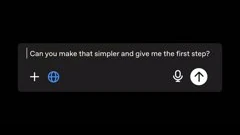

The completed request is visible at 59.017 seconds. At 59.059 the frame changes to the white recap field and its first dot. The follow-up response is not part of this demonstrated sequence.
Watch around this transition ↗

The summary card remains at 60.644 seconds; a close view of the instructor appears at 60.686. The return gives the general explanation back to the person who introduced the exercise.
Watch around this transition ↗Proposed use in the all-hands
Give a novice audience one visible next action. Let the actual spoken request determine the pace of the composer or demo, and retain enough context to explain words that refer back to an earlier result. If the all-hands claim concerns the improved answer, include that answer in the real Poe demonstration before closing the beat.
Open the storyboard worksheet →Scope of the reading
The teaching layout does not establish an unedited product capture, actual response latency or the result of the second prompt. The broader layout changes are sampled at half-second targets; only the two illustrated hard cuts are checked in adjacent source frames.
The full machine transcript was read; 265 estimated words were mapped to source frames. The visual review inspected 205 half-second sample positions, the 11 selected word frames and these 2 native transition windows. Available caption differences were checked. No continuous playback or human listening verification. Method and timing limits.
The earlier reading in the latest-100 study · Structured close readings