← Recipe index / Show cause
R06_selection_scope / 150 frames / 30 fps
Keep a selected scope through a reframe
Keep the selected region tied to the content it identifies while changing the outer framing. Do not imply that the requested change completed.
Source evidence
Work with docs, sheets, and slides in ChatGPT ↗ · official OpenAI channel · published 2026-07-23
Inspected source window 23–27.5 s. Consecutive subset 23–24 s: 24 frames. A longer excerpt is not an every-frame edit list.
Source evidence, not a Resolve recreation. Silent excerpt; the player counter starts at zero.
Observed mechanic and limits
A move into the selected table is followed later by a pullback; this is not a proven instantaneous crop cut.
Table close-up becomes readable while the presenter inset stays screen-anchored. The wider conversation returns near the end.
The contextual action becomes a request field, text grows, then the camera pulls back.
Selected table already present → close view → request → wider context.
Request is complete in the 26.276 s sample; pullback appears at 26.693 s. Selection onset predates the interval.
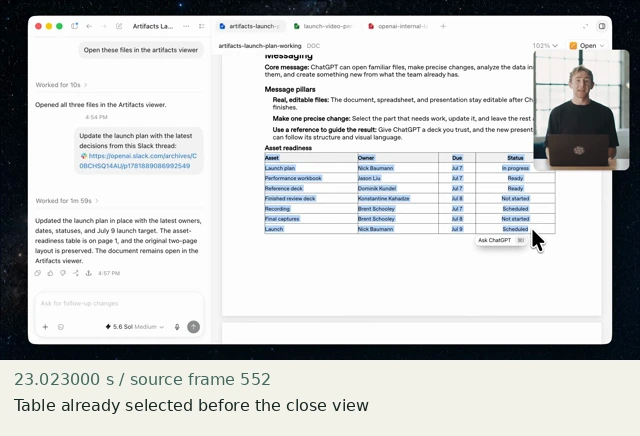
Table already selected before the close view
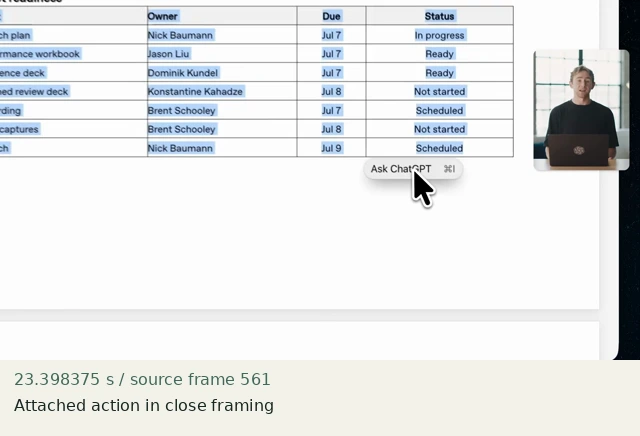
Attached action in close framing
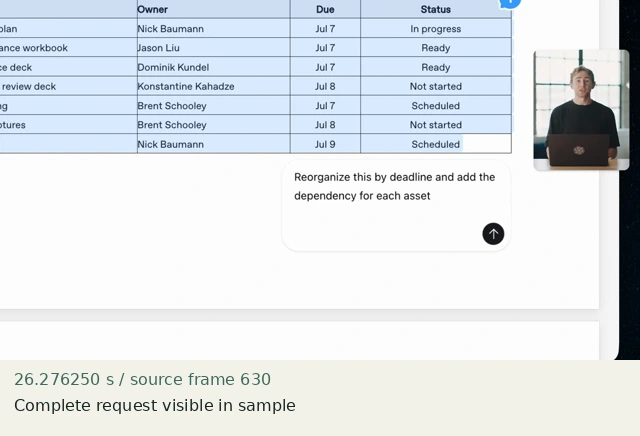
Complete request visible in sample
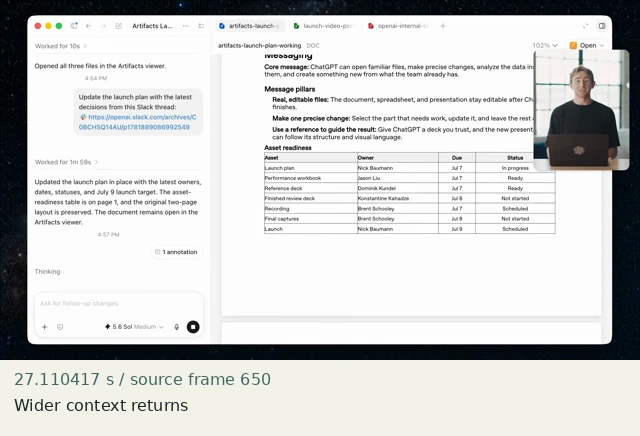
Wider context returns
Construct in Resolve
Documentation-checked; application-unverified. Use the environment, frame-counting, geometry and font setup first. Timeline timecode starts at 01:00:00:00. Tables use zero-based recipe-local frames and half-open intervals. Clip-local frame equals recipe frame minus that clip’s In; add any Fusion composition offset separately. Values are chosen implementation defaults.
| Track | Asset / native tool | In (inclusive) | Out (exclusive) |
|---|---|---|---|
| V1 | Fusion Composition | 0 | 150 |
- Effects → Effects → Fusion Composition; set 150 frames. Open Fusion. Drag shell.png and document.png from the Media Pool into the Node Editor and rename MediaIn nodes Shell and Document.
- Connect the graph below. MergeDocument puts document content over Shell, limited by fixed Viewport. Add a green Background SelectionFill (#32725d, alpha 0.18, 1920×1080) through SelectionRect into MergeSelection, then place OuterCamera AFTER both content and selection.
- OuterCamera: Pivot .5,.5; Center .5,.5; Size 1. Keyframe Size 1 at local frame 30, 1.35 at 45; 1.35 at 105, 1 at 120. Center stays .5,.5. Select Size in Spline and choose Linear; retain flat holds.
Inspector and keyframes
| Control | Recipe-local frames | Value and interpolation |
|---|---|---|
| Viewport | constant | Center .5,.518518519; Width .65; Height .574074074; Soft Edge 0; Corner Radius 0 |
| SelectionRect | constant | Center .5,.625; Width .65; Height .109259259; Soft Edge 0 |
| OuterCamera Size | 30 / 45 / 105 / 120 | 1 / 1.35 / 1.35 / 1; Linear |
| Selection | 0–149 | Already selected; no completion or selection-onset claim |
Fusion node graph
Shell → MergeDocument.Background
Document → MergeDocument.Foreground
Viewport [Rectangle] → MergeDocument.EffectMask
MergeDocument → MergeSelection.Background
SelectionFill [Background] → MergeSelection.Foreground
SelectionRect [Rectangle] → MergeSelection.EffectMask
MergeSelection → OuterCamera [Transform] → MediaOut1
Arrows are directed connections, not an exported setup. Orange = background, green = foreground, blue = effect mask. Every MediaIn must be rebound to the named original asset. See the guide for coordinate and spline conventions.
Hold, handles and retiming
Selected detail is stationary for frames 46–104 (59 frames); extend that interval for dense real content. Final wide framing is held for 29 frames.
Stills/generators need no temporal handles. For real captures reserve 15 source-time frames before and after each used interval at a 30 fps capture rate; keep those handles outside the edit. No dissolve or optical-flow handles are needed here.
100% speed. No Optical Flow, Speed Warp, frame interpolation or simulated product wait.
Replace assets / change duration
Replace Document, then recalculate SelectionRect from the actual selected pixel rectangle using tools.fusion_rectangle. Keep the selection merge before OuterCamera. For real UI, prefer captured native selection over a synthetic highlight.
Compare the mechanic, not the branding
The source selection exists before the interval and its contextual request changes. This recipe isolates selection-to-content registration during reframing. It omits the presenter inset and does not reproduce the complete interaction.
No application render or editable project has been produced. Timing, framing, motion, alpha, continuity and readability comparisons remain incomplete. A source clip or fixture PNG is not that verification.
Construction reference: official Resolve 21 manual, p. 2264, p. 2540, p. 2542, p. 2929, p. 2930, p. 1604. Controls still need confirmation in the installed edition/version.
All recipe specifications · Original preparation kit · Import/export and verification procedure