← Recipe index / Prove
R08_result_reveal / 150 frames / 30 fps
Reveal a container, then its contents
Distinguish the arrival of a result area from readable proof. Do not count the empty pane as result reading time or imply a measured application response time.
Source evidence
Build and share interactive prototypes in Codex ↗ · official OpenAI channel · published 2026-06-04
Inspected source window 51–56 s. Consecutive subset 51.5–53 s: 45 frames. A longer excerpt is not an every-frame edit list.
Source evidence, not a Resolve recreation. Silent excerpt; the player counter starts at zero.
Observed mechanic and limits
Within the same window, the conversation narrows and a right-hand preview becomes available. It is not a cut to an unrelated finished output.
Full conversation becomes a left column next to a wider preview.
Pane geometry changes before the calendar content arrives. Source camera framing continues changing after arrival.
Conversation → room for preview → empty preview → loaded content.
Right pane is blank at the 52.833 s sample and populated by 53.267 s. Content remains available through 55.967 s, while the outer framing moves.
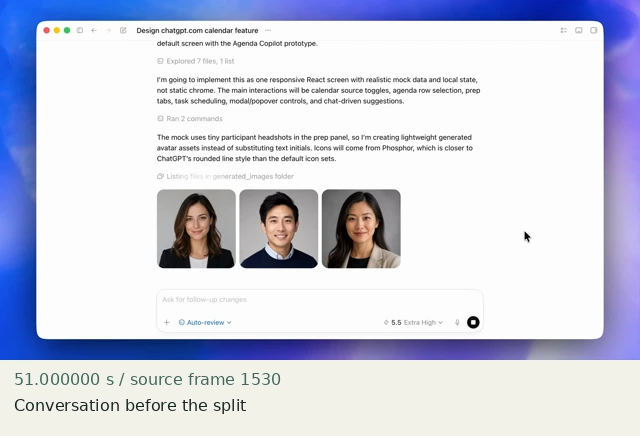
Conversation before the split
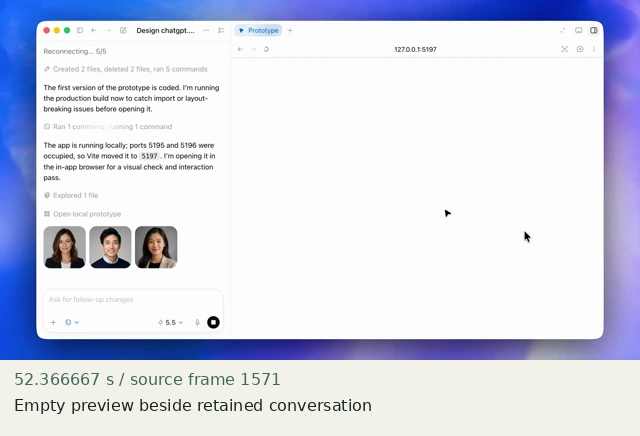
Empty preview beside retained conversation
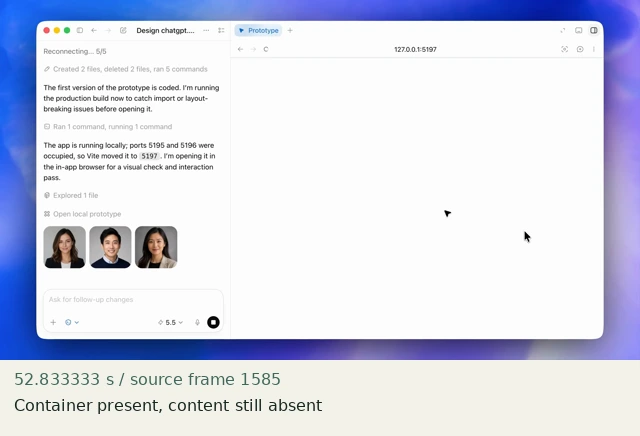
Container present, content still absent
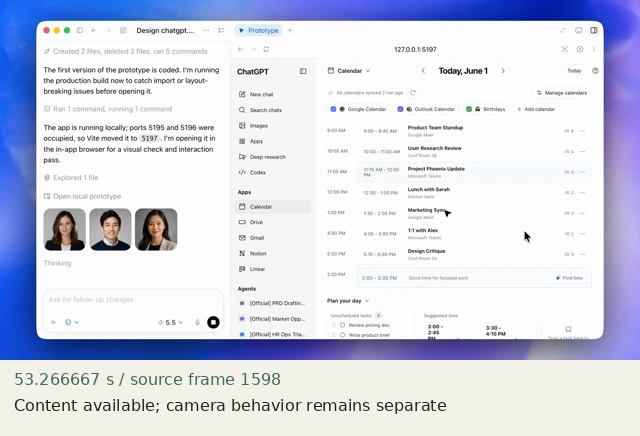
Content available; camera behavior remains separate
Construct in Resolve
Documentation-checked; application-unverified. Use the environment, frame-counting, geometry and font setup first. Timeline timecode starts at 01:00:00:00. Tables use zero-based recipe-local frames and half-open intervals. Clip-local frame equals recipe frame minus that clip’s In; add any Fusion composition offset separately. Values are chosen implementation defaults.
| Track | Asset / native tool | In (inclusive) | Out (exclusive) |
|---|---|---|---|
| V1 | Fusion Composition | 0 | 150 |
- Create a 150-frame Fusion Composition. Add shell.png, result-empty.png and result.png from the Media Pool. Connect the two Merge nodes in the graph; both foreground layers keep their full-frame geometry.
- PaneWindow is a Rectangle effect mask on MergeEmpty. Reveal its horizontal width while preserving the left edge at x=1020: at frame 30 Center .53125,.518518519 / Width 0; at frame 45 Center .678125,.518518519 / Width .29375. Height .574074074, Soft Edge 0, Corner Radius 0. Spline Linear for width and center displacement.
- MergeResult Blend stays 0 through frame 74 and is 1 from 75 onward. Use two keys 74=0, 75=1 with Linear; consecutive frames give a discrete arrival. Do not add a key at the exclusive end.
Inspector and keyframes
| Control | Recipe-local frames | Value and interpolation |
|---|---|---|
| PaneWindow Width | 30 → 45 | 0 → .29375; Linear |
| PaneWindow Center X | 30 → 45 | .53125 → .678125; Linear |
| PaneWindow Center Y / Height | constant | .518518519 / .574074074 |
| MergeResult Blend | 74 / 75 | 0 / 1; thereafter 1 |
Fusion node graph
Shell → MergeEmpty.Background
EmptyPane → MergeEmpty.Foreground
PaneWindow [Rectangle] → MergeEmpty.EffectMask
MergeEmpty → MergeResult.Background
Result → MergeResult.Foreground
MergeResult → MediaOut1
Arrows are directed connections, not an exported setup. Orange = background, green = foreground, blue = effect mask. Every MediaIn must be rebound to the named original asset. See the guide for coordinate and spline conventions.
Hold, handles and retiming
Pane reveal 30–45; empty pane 46–74 (29 frames); complete result 75–149 (75 frames, 2.5 s). The empty interval is an illustrative state order, not simulated real latency.
Stills/generators need no temporal handles. For real captures reserve 15 source-time frames before and after each used interval at a 30 fps capture rate; keep those handles outside the edit. No dissolve or optical-flow handles are needed here.
100% speed. No Optical Flow, Speed Warp, frame interpolation or simulated product wait.
Replace assets / change duration
Replace both pane layers with matched full-frame assets. Change the mask width and center together so the left edge remains fixed. If real loading lasts longer, preserve captured state order and label any omitted time rather than fabricating a wait. Extend only the complete-result tail.
Compare the mechanic, not the branding
The source also narrows the conversation and moves the outer camera. This recipe isolates container-before-content staging; it does not recreate the full split-layout motion. The fixture is not a running application.
No application render or editable project has been produced. Timing, framing, motion, alpha, continuity and readability comparisons remain incomplete. A source clip or fixture PNG is not that verification.
Construction reference: official Resolve 21 manual, p. 2264, p. 2542, p. 1604. Controls still need confirmation in the installed edition/version.
All recipe specifications · Original preparation kit · Import/export and verification procedure