← Recipe index / Connect
R10_object_continuity / 150 frames / 30 fps
Carry identity across a context cut
Use recognizable content to connect two contexts even when its size and position change. This is semantic continuity, not a pixel-matched morph.
Source evidence
Find the perfect gift by shopping with ChatGPT ↗ · official OpenAI channel · published 2026-03-27
Inspected source window 7.5–11.5 s. Consecutive subset 8–8.7 s: 42 frames. A longer excerpt is not an every-frame edit list.
Source evidence, not a Resolve recreation. Silent excerpt; the player counter starts at zero.
Observed mechanic and limits
Source frame 487 at 8.116667 s shows isolated input; frame 488 at 8.133333 s shows an almost-empty phone. No geometric morph connects them.
Readable isolated composer gives way to a smaller request inside a tall phone on a colored field.
Phone establishes with changing scale/position, then the request grows into view. The same sentence supplies semantic continuity.
Submitted-looking input → cut → briefly empty phone → same request → later response.
The native frames show request content returning from about 8.216667 s and becoming complete by roughly 8.300 s. No exact product latency is implied.
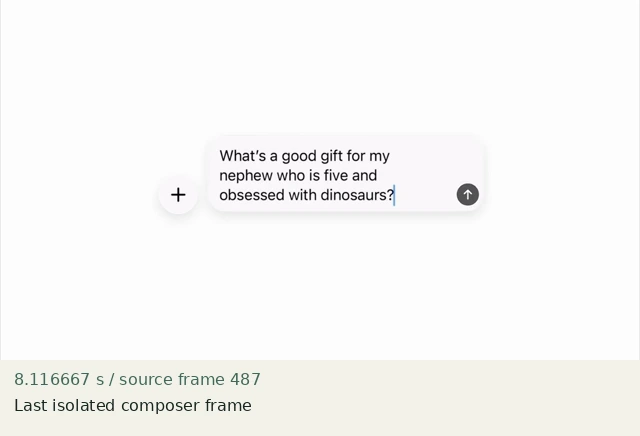
Last isolated composer frame
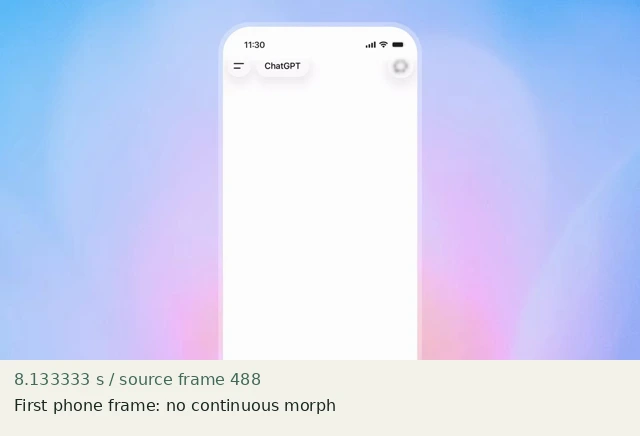
First phone frame: no continuous morph
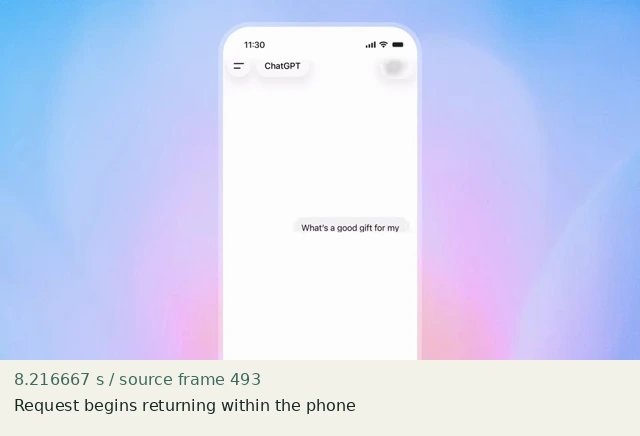
Request begins returning within the phone
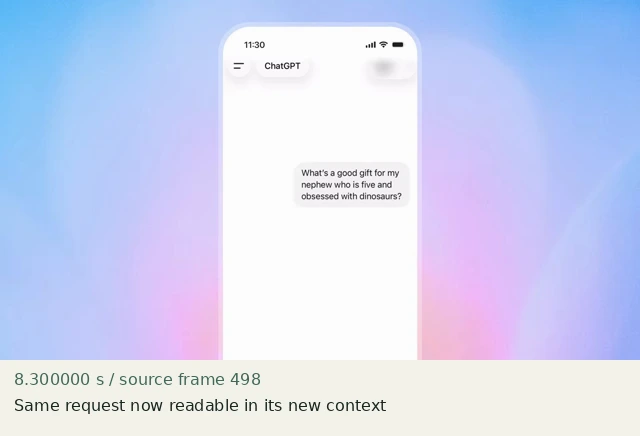
Same request now readable in its new context
Construct in Resolve
Documentation-checked; application-unverified. Use the environment, frame-counting, geometry and font setup first. Timeline timecode starts at 01:00:00:00. Tables use zero-based recipe-local frames and half-open intervals. Clip-local frame equals recipe frame minus that clip’s In; add any Fusion composition offset separately. Values are chosen implementation defaults.
| Track | Asset / native tool | In (inclusive) | Out (exclusive) |
|---|---|---|---|
| V1 | input-empty.png | 0 | 60 |
| V2 | request.png | 0 | 60 |
| V1 | device-empty.png | 60 | 150 |
| V2 | device-request.png | 64 | 150 |
- Build an isolated request for frames 0–59. At frame 60 cut both layers to the empty device context. No dissolve or scaling interpolation spans the cut.
- Keep the device empty for four output frames, 60–63. At frame 64 add device-request.png with 100% opacity. All assets remain Zoom 1 / Position 0,0.
- Check the complete request text before and after the cut. It must stay “Arrange these notes by topic.” Avoid changing the promised task while preserving only a decorative shape.
Inspector and keyframes
| Control | Recipe-local frames | Value and interpolation |
|---|---|---|
| Context cut | 59 → 60 | Direct replacement, no in-between geometry |
| Device request | 64–149 | Full opacity; unchanged text; no keyframes |
Hold, handles and retiming
Original request 60 frames (2 s). Empty context 4 frames. Re-established request 86 frames (2.867 s).
Stills/generators need no temporal handles. For real captures reserve 15 source-time frames before and after each used interval at a 30 fps capture rate; keep those handles outside the edit. No dissolve or optical-flow handles are needed here.
100% speed. No Optical Flow, Speed Warp, frame interpolation or simulated product wait.
Replace assets / change duration
Change request.png and device-request.png together using build_assets.py. Keep the four-frame establishment explicit; do not turn it into an alleged product latency. Extend the final device hold for longer text.
Compare the mechanic, not the branding
The source phone scales and text grows back rapidly. This fixture uses a static device and a direct text return. It preserves the observed context-cut/brief-empty/identity-return order, not a geometric match or identical cadence.
No application render or editable project has been produced. Timing, framing, motion, alpha, continuity and readability comparisons remain incomplete. A source clip or fixture PNG is not that verification.
Construction reference: official Resolve 21 manual, p. 1246, p. 967. Controls still need confirmation in the installed edition/version.
All recipe specifications · Original preparation kit · Import/export and verification procedure