← Recipe index / Navigate
R07_masked_scroll / 150 frames / 30 fps
Scroll content behind a fixed viewport
Bring an off-screen result into view without moving the window chrome. Reading begins after the document lands, not while it is passing through the viewport.
Source evidence
Make information visual with ChatGPT ↗ · official OpenAI channel · published 2026-08-24
Inspected source window 44–49 s. Consecutive subset 46.75–48.25 s: 36 frames. A longer excerpt is not an every-frame edit list.
Source evidence, not a Resolve recreation. Silent excerpt; the player counter starts at zero.
Observed mechanic and limits
Continuous content scrolling within the inspected native window; no scene cut is inferred from large pixel changes.
A calendar rises into view. Outer window title and presenter inset stay in frame space.
Upward content movement brings the calendar into view, then slows and leaves the calendar available.
Request and partial calendar → scroll → calendar fills viewport → reading.
The calendar is substantially exposed by 47.631 s and remains through 48.965 s. Residual document motion is visible; this is not an exact zero-motion hold.
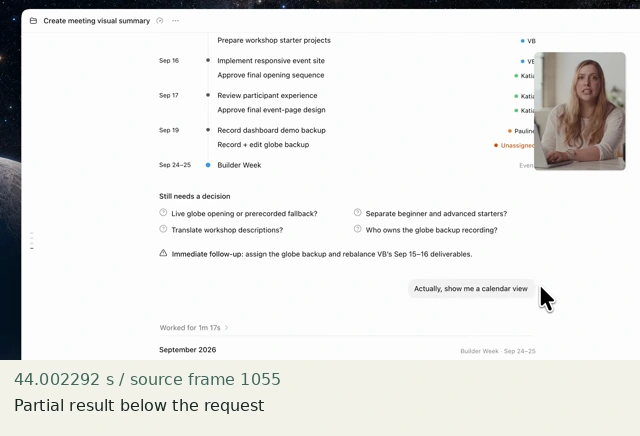
Partial result below the request
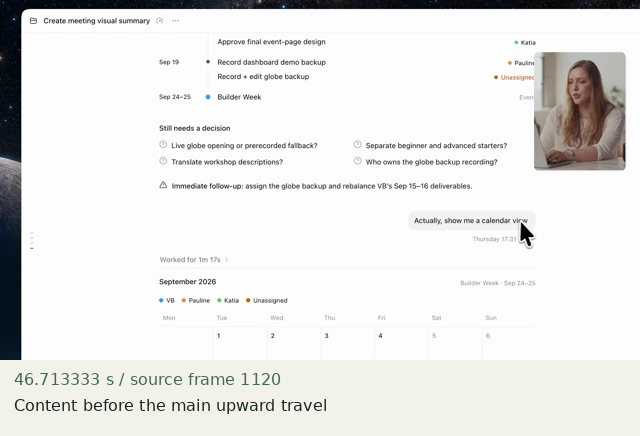
Content before the main upward travel
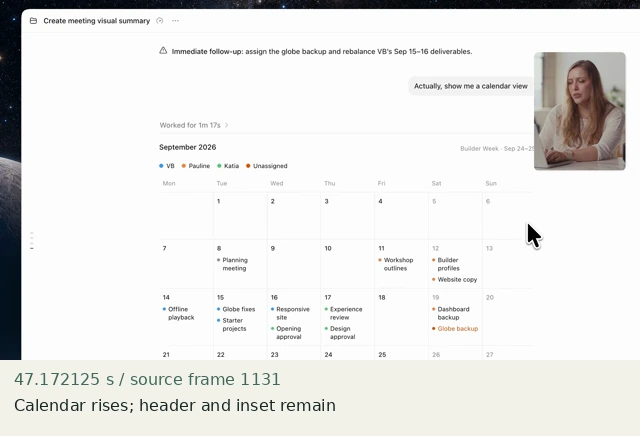
Calendar rises; header and inset remain
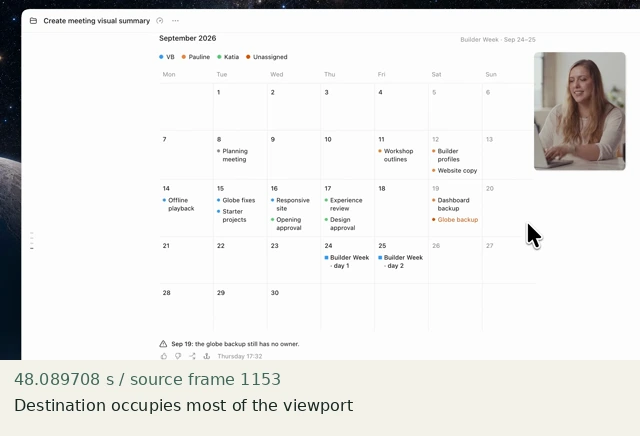
Destination occupies most of the viewport
Construct in Resolve
Documentation-checked; application-unverified. Use the environment, frame-counting, geometry and font setup first. Timeline timecode starts at 01:00:00:00. Tables use zero-based recipe-local frames and half-open intervals. Clip-local frame equals recipe frame minus that clip’s In; add any Fusion composition offset separately. Values are chosen implementation defaults.
| Track | Asset / native tool | In (inclusive) | Out (exclusive) |
|---|---|---|---|
| V1 | Fusion Composition | 0 | 150 |
- Add a 150-frame Fusion Composition. Drag shell.png and document.png into Fusion as Shell and Document. Add Transform, Rectangle and Merge with Shift-Space; rename as in the graph.
- Connect Shell to MergeViewport’s orange Background input FIRST. Document → ScrollContent → green Foreground. Connect Viewport to MergeViewport’s blue Effect Mask input. Output goes to MediaOut1. Do not mask the Transform itself or transform the combined shell.
- Set Viewport and ScrollContent values below. In Spline, show ScrollContent’s displacement animation, select the endpoints and set Linear. If Center creates a Path modifier, retain a straight vertical path: no intermediate spatial controls. Inspect both the spatial route and temporal displacement.
Inspector and keyframes
| Control | Recipe-local frames | Value and interpolation |
|---|---|---|
| Viewport Rectangle | constant | Center X .5; Y .518518519; Width .65; Height .574074074; Soft Edge 0; Corner Radius 0; Solid on; Invert off |
| ScrollContent | 0 and 30 | Center .5,.5; Pivot .5,.5; Size 1; Angle 0 |
| ScrollContent Center | 60 | .5,.722222222 (240 output pixels upward); Linear from 30 |
| ScrollContent | 61–149 | Hold; no outer transform |
Fusion node graph
Shell [MediaIn] → MergeViewport.Background (orange)
Document [MediaIn] → ScrollContent [Transform] → MergeViewport.Foreground (green)
Viewport [Rectangle] → MergeViewport.EffectMask (blue)
MergeViewport → MediaOut1
Arrows are directed connections, not an exported setup. Orange = background, green = foreground, blue = effect mask. Every MediaIn must be rebound to the named original asset. See the guide for coordinate and spline conventions.
Hold, handles and retiming
Pre-scroll 30 frames; travel 30 frame intervals (1 s); fully stopped result 61–149 (89 frames, 2.967 s).
Stills/generators need no temporal handles. For real captures reserve 15 source-time frames before and after each used interval at a 30 fps capture rate; keep those handles outside the edit. No dissolve or optical-flow handles are needed here.
100% speed. No Optical Flow, Speed Warp, frame interpolation or simulated product wait.
Replace assets / change duration
All supplied media is 1920×1080. Keep document content full-frame, even when mostly transparent. For taller captures, first normalize the canvas deliberately; do not accept an automatic fit that shrinks text. Recompute scroll distance in pixels/1080 and ensure the document covers the whole viewport at both ends. Extend the stationary tail only.
Compare the mechanic, not the branding
The source calendar has residual motion. The neutral list stops completely. The 240 px distance and linear travel are chosen; neither scroll physics nor exact source viewport geometry has been fitted.
No application render or editable project has been produced. Timing, framing, motion, alpha, continuity and readability comparisons remain incomplete. A source clip or fixture PNG is not that verification.
Construction reference: official Resolve 21 manual, p. 2264, p. 2540, p. 2542, p. 2929, p. 2930, p. 1604. Controls still need confirmation in the installed edition/version.
All recipe specifications · Original preparation kit · Import/export and verification procedure