← Recipe index / Focus
R03_context_detail / 120 frames / 30 fps
Context → detail by hard cut
Make a small target readable immediately while retaining an orientation landmark. Prefer this to a camera move when the sentence is already about the detail.
Source evidence
Introducing ChatGPT Atlas ↗ · official OpenAI channel · published 2025-10-21
Inspected source window 22.5–24.8 s. Consecutive subset 22.9–23.2 s: 9 frames. A longer excerpt is not an every-frame edit list.
Source evidence, not a Resolve recreation. Silent excerpt; the player counter starts at zero.
Observed mechanic and limits
Frame 690 at 23.000 s is wide; frame 691 at 23.033 s is the tight sidebar composition.
The sidebar composer becomes the subject. Part of the property page remains at the left as an orientation landmark.
An abrupt scale/position discontinuity. Neighboring frames do not show intervening magnifications.
Established browser → direct crop → readable composer.
The detail persists through this 24.8 s window; later interaction lies outside it.
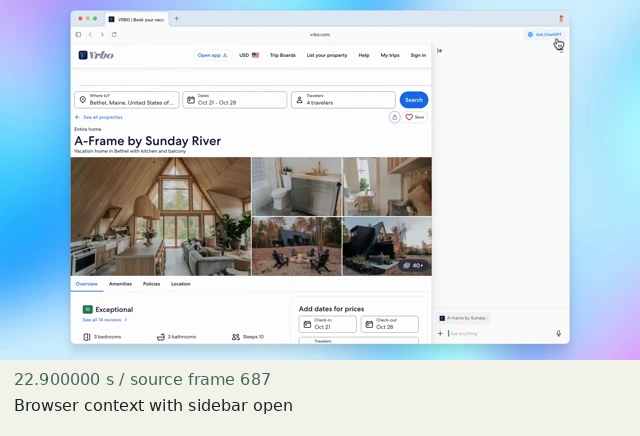
Browser context with sidebar open
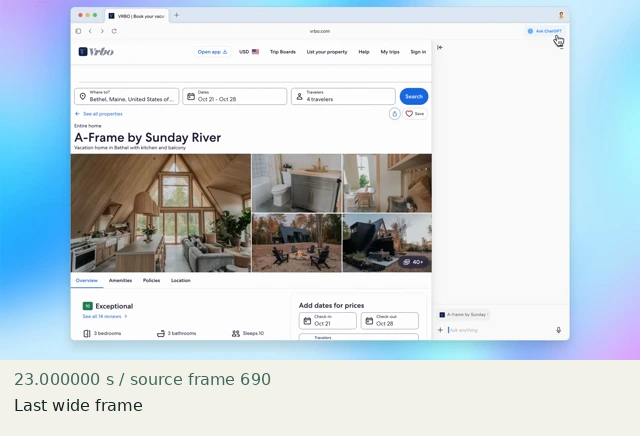
Last wide frame
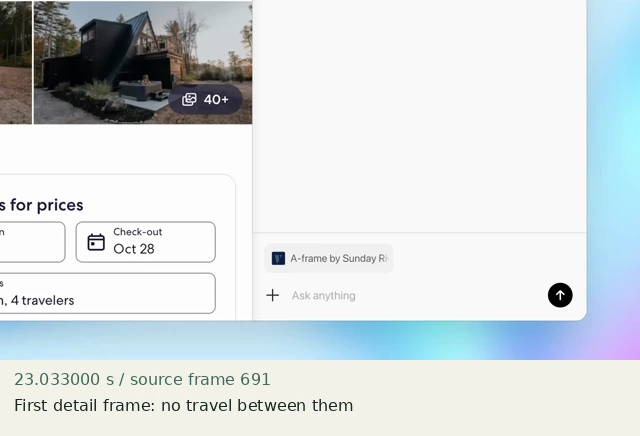
First detail frame: no travel between them
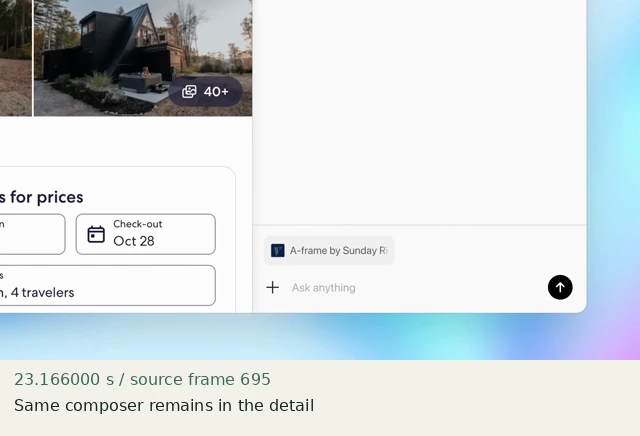
Same composer remains in the detail
Construct in Resolve
Documentation-checked; application-unverified. Use the environment, frame-counting, geometry and font setup first. Timeline timecode starts at 01:00:00:00. Tables use zero-based recipe-local frames and half-open intervals. Clip-local frame equals recipe frame minus that clip’s In; add any Fusion composition offset separately. Values are chosen implementation defaults.
| Track | Asset / native tool | In (inclusive) | Out (exclusive) |
|---|---|---|---|
| V1 | context.png wide | 0 | 45 |
| V1 | context.png detail | 45 | 120 |
- Place context.png for 120 frames. Blade at frame 45 with the Blade Edit Mode tool, then return to Selection Mode. Both sides use the same source image.
- Select the second clip. Inspector → Video → Transform: linked Zoom X/Y 1.8; Position X −396, Y +108; Anchor Point X/Y 0; Rotation Angle 0. Dynamic Zoom off. Do not keyframe.
- The focus point (1180,600) in top-left source pixels maps to the output center. Step 44→45: no intermediate scales, dissolve, or black edge.
Inspector and keyframes
| Control | Recipe-local frames | Value and interpolation |
|---|---|---|
| Wide | 0–44 | Zoom 1; Position 0,0 |
| Detail | 45–119 | Zoom 1.8; Position −396,+108 |
Hold, handles and retiming
Detail is complete on frame 45 and held for 75 frames (2.5 s).
Stills/generators need no temporal handles. For real captures reserve 15 source-time frames before and after each used interval at a 30 fps capture rate; keep those handles outside the edit. No dissolve or optical-flow handles are needed here.
100% speed. No Optical Flow, Speed Warp, frame interpolation or simulated product wait.
Replace assets / change duration
For a new full-frame asset, pick a real landmark and target. Use the tools.py focus command to calculate translation and reject uncovered edges. Its math assumes centered anchor and equal source/timeline raster with square pixels. For an edge target, choose a legal off-center framing, a different crop, or a new capture; never silently expose empty pixels. Check scaled/cropped media separately. Extend only the detail clip.
Compare the mechanic, not the branding
The source uses a different crop and sidebar. The 1.8× framing is a chosen example, not a fitted source magnification. Raster sharpness must be checked at output size.
No application render or editable project has been produced. Timing, framing, motion, alpha, continuity and readability comparisons remain incomplete. A source clip or fixture PNG is not that verification.
Construction reference: official Resolve 21 manual, p. 1246, p. 1247. Controls still need confirmation in the installed edition/version.
All recipe specifications · Original preparation kit · Import/export and verification procedure