← Recipe index / Label
R11_anchored_overlay / 150 frames / 30 fps
Keep an overlay independent of the shot
Keep a short identifier in screen space while the underlying shot changes. Use only when it adds information without obscuring the result.
Source evidence
ChatGPT can now complete tasks on your computer ↗ · official OpenAI channel · published 2026-07-16
Inspected source window 6.15–12.8 s. Consecutive subset 9.8–10.4 s: 15 frames. A longer excerpt is not an every-frame edit list.
Source evidence, not a Resolve recreation. Silent excerpt; the player counter starts at zero.
Observed mechanic and limits
Source frame 237 at 9.884875 s is the wider presenter shot; frame 238 at 9.926583 s is a closer angle.
The person changes scale and background framing. Name and role remain at the same screen location.
One direct shot replacement; caption does not scale with the person.
Presenter → identifier appears → cut to closer presenter with identifier retained.
Identifier survives the 9.926583 s cut and remains through the sampled close shot; it disappears before the later screen-demo composition.
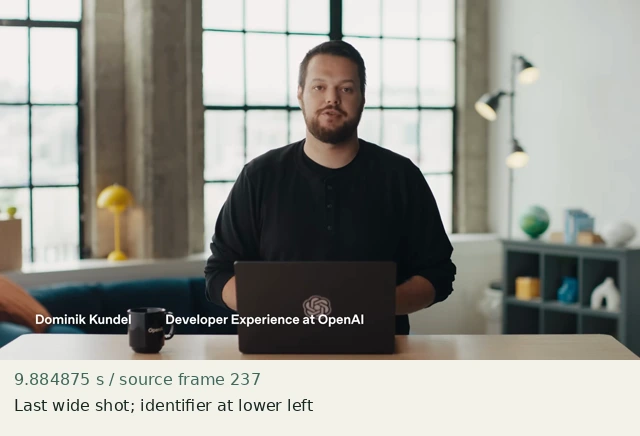
Last wide shot; identifier at lower left
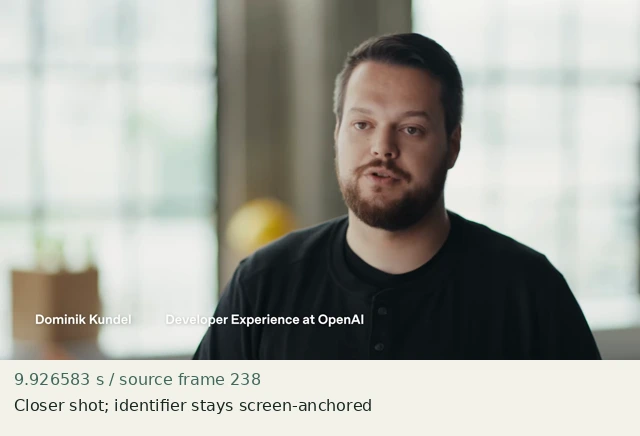
Closer shot; identifier stays screen-anchored
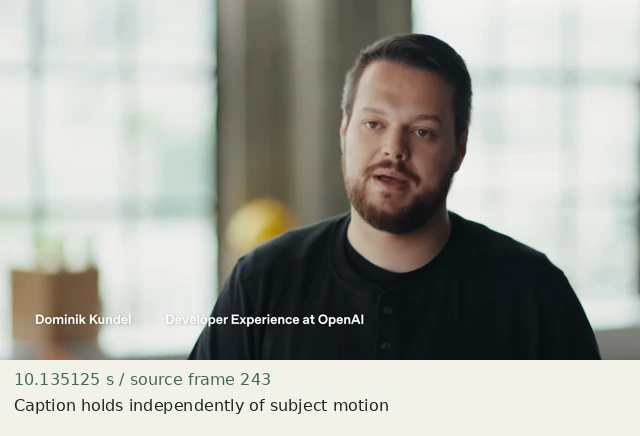
Caption holds independently of subject motion
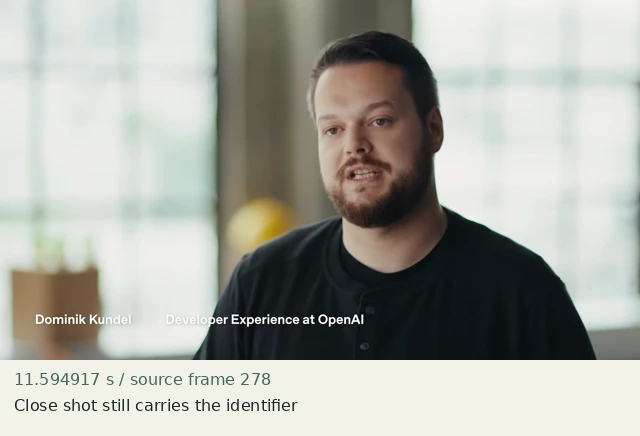
Close shot still carries the identifier
Construct in Resolve
Documentation-checked; application-unverified. Use the environment, frame-counting, geometry and font setup first. Timeline timecode starts at 01:00:00:00. Tables use zero-based recipe-local frames and half-open intervals. Clip-local frame equals recipe frame minus that clip’s In; add any Fusion composition offset separately. Values are chosen implementation defaults.
| Track | Asset / native tool | In (inclusive) | Out (exclusive) |
|---|---|---|---|
| V1 | context.png wide | 0 | 60 |
| V1 | context.png detail | 60 | 150 |
| V2 | Text label | 15 | 135 |
- Build the wide/detail cut as context-detail but cut at frame 60. Apply Zoom 1.8 and Position −396,+108 ONLY to the second V1 clip.
- Add one continuous basic Text title on V2 from frame 15 to 135: “Original fixture”, DejaVu Sans Bold, Size 32, color #23312e, Alignment Left, Anchor horizontal Left / vertical Center, Title Position 960,540. In Settings → Transform set Position X −672 / Y −464, Zoom 1. This places the left anchor at output pixel (288,1004), below the window and clear of its footer. No keyframes.
- Do not put V2 inside a transformed compound clip. Compare overlay glyph position at frames 59 and 60; the overlay should not jump, scale, fade, or be re-rendered by a second title clip.
Inspector and keyframes
| Control | Recipe-local frames | Value and interpolation |
|---|---|---|
| V1 | 60–149 | Zoom 1.8; Position −396,+108 |
| V2 | 15–134 | Title Position 960,540; Anchor Left/Center; Settings Transform Zoom 1, Position −672,−464; Opacity 100% |
Hold, handles and retiming
Overlay persists 120 frames (4 s) across the cut; remove it before the next evidence beat if it competes with the subject.
Stills/generators need no temporal handles. For real captures reserve 15 source-time frames before and after each used interval at a 30 fps capture rate; keep those handles outside the edit. No dissolve or optical-flow handles are needed here.
100% speed. No Optical Flow, Speed Warp, frame interpolation or simulated product wait.
Replace assets / change duration
Move the overlay once in its own Inspector to clear new content. Preserve one continuous overlay clip across the underlying cut. When extending the shot, choose its disappearance independently rather than scaling its duration automatically.
Compare the mechanic, not the branding
The source is a presenter name/role overlay. The neutral fixture labels an artifact; no talking head is composited into the presentation. Exact font metrics, baseline position and original reveal are not recreated.
No application render or editable project has been produced. Timing, framing, motion, alpha, continuity and readability comparisons remain incomplete. A source clip or fixture PNG is not that verification.
Construction reference: official Resolve 21 manual, p. 1212, p. 1219, p. 1246, p. 2264. Controls still need confirmation in the installed edition/version.
All recipe specifications · Original preparation kit · Import/export and verification procedure